Sector Report: pace analysis from Al Kamel time cards

Sector Report is out. It’s a Windows app that reads a session’s Al Kamel time cards and writes a PDF with the pace of every car, sector, driver and stint. This post covers what it computes and how, so you can judge whether the numbers are useful to you. All data shown here is from a made-up demo race.
Best lap isn’t enough
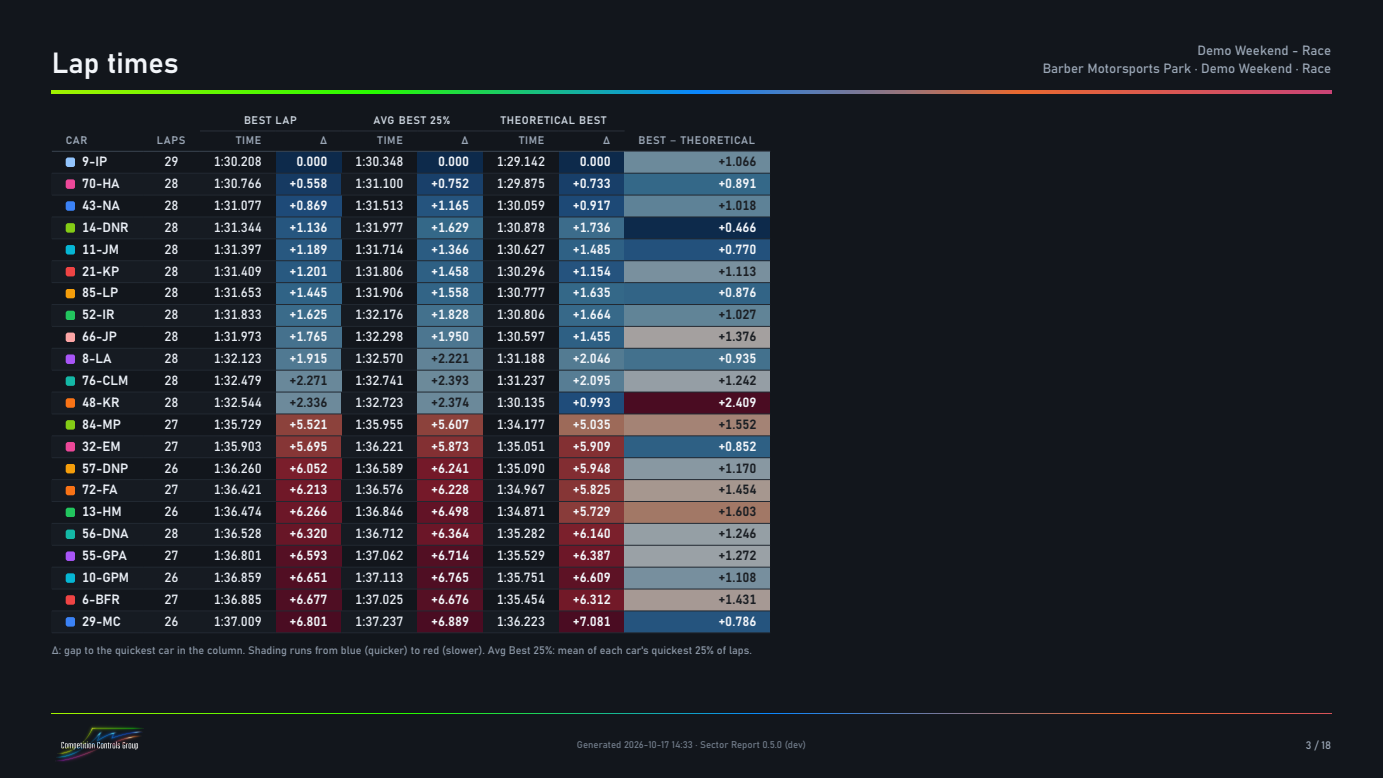
A single best lap depends on one tow, one clear lap or one set of new tires. The report puts three numbers next to each other for every car:
- Best lap.
- Average of the best N% of laps (25% by default). Over a 40-lap race that’s the mean of the ten quickest laps: a better estimate of the pace a car can repeat.
- Theoretical best: the sum of the car’s best sectors. Best minus theoretical is the time the best lap left on the table.
Every column shows the gap to the quickest car in that column. The same numbers are worked out for each sector, and each car’s sectors are also compared with the best of its own class, to see where it gains or loses time.
Stints and fall-off
The time cards mark the pit laps, so each car’s laps are split into stints. For every stint the report shows the driver, best lap, average of best laps and fall-off: how much slower each lap got through the stint.
Fall-off is the slope of a straight line through the stint’s lap times. Traffic and slow laps would bend that line, so only laps within 3% of the stint’s best are used, and the slope is left out when fewer than five laps remain. Out-laps, in-laps and invalid laps are left out too.
Charts
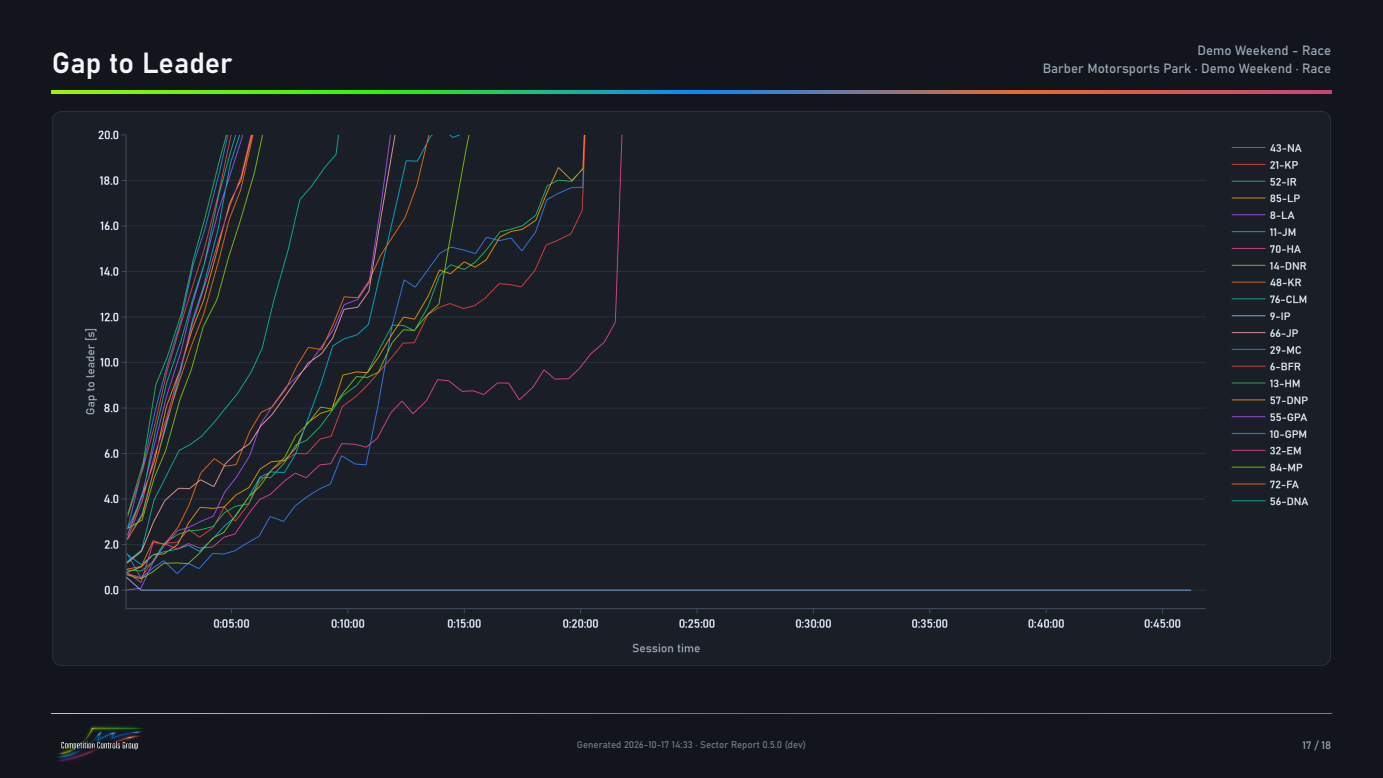
Sorted lap times and sorted sectors, lap times by lap (pit and caution laps run off the top, invalid laps have open markers), position in class by lap, gap to the leader through the session, and top speed per car. Top speed also shows the average of each car’s best speeds, which depends less on a tow.
Details in the time cards
The app reads the session’s Time Cards JSON, which has the most detail, or the Analysis CSV that some series publish instead. Some details it takes care of:
- Invalid laps (track limits, deleted) are marked in the JSON and left out of the pace numbers.
- Top speeds are shown in km/h or mph, whichever you pick; the choice is saved with the setup.
- Setups (classes, cars, colors, chart ranges, branding) are saved per series. Cars are matched by number, so the same setup works at the next event.
Trying it
There’s a free 15-day trial with all features, and demo time cards to try it on. The getting-started guide takes about ten minutes. Pricing and the rest of the details are on the Sector Report page.
If a number doesn’t match what you see in the timing, email support@competitioncontrols.com with the session’s file and I’ll look at it.