Al Kamel time card analysis
Sector Report
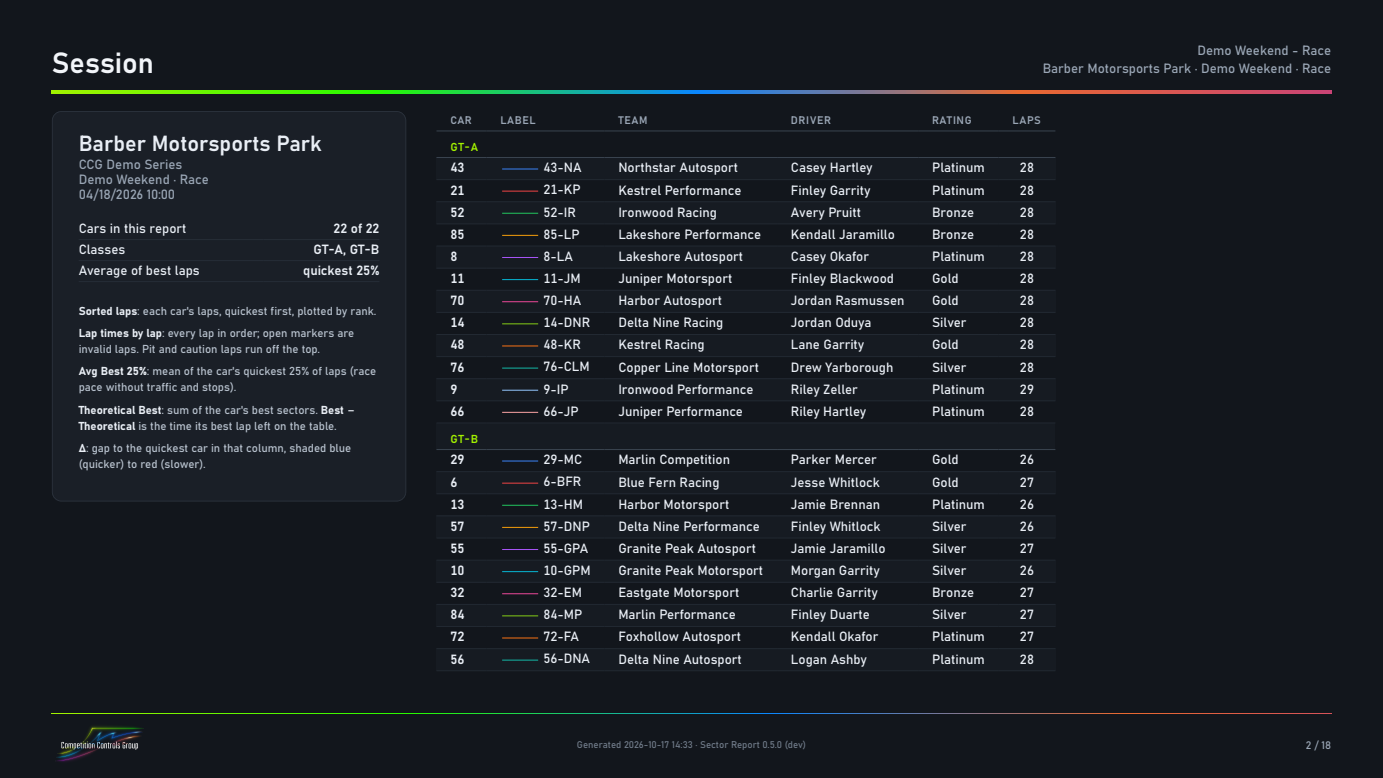
Open the session’s time cards, pick your classes and cars, and get a branded PDF: best lap, theoretical best and average of best laps per car and per sector, class gaps, driver and stint pace, and the charts to go with them.
Windows 10/11 · one user, up to 3 PCs · 1 year of updates included · 30-day refund
Sample report (PDF) · all data on this page is from a fictional demo race.
What’s in the report
Pace per car
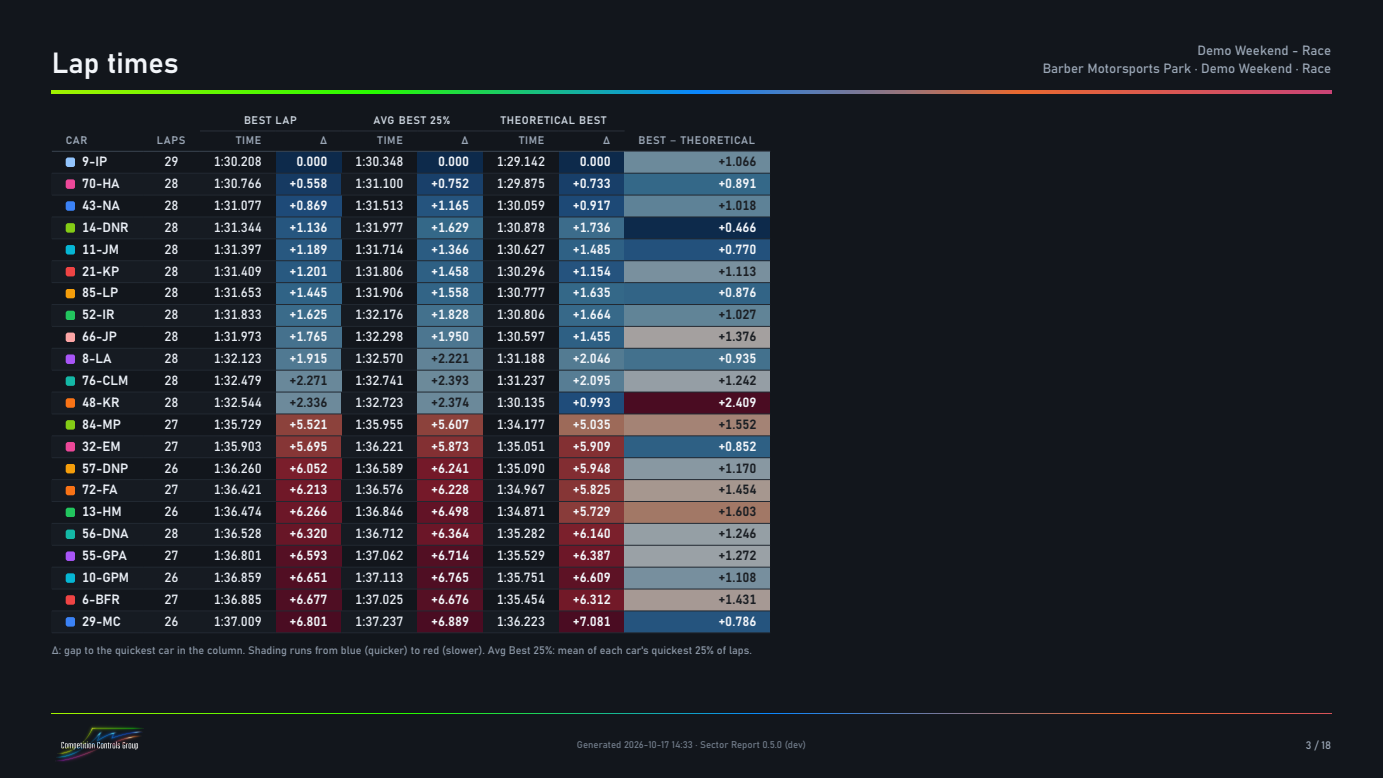
- Best lap and theoretical best (sum of the best sectors).
- Average of the best N% of valid laps (default 25%): pace that one tow or one clear lap doesn’t decide.
- Every column shows the gap to the fastest car.
Sectors
- The same three numbers for each sector.
- Each car’s sectors against the best of its own class.
- Invalid laps (track limits, deleted) are left out.
Drivers and stints
- Drivers: each driver against their teammates in the same car.
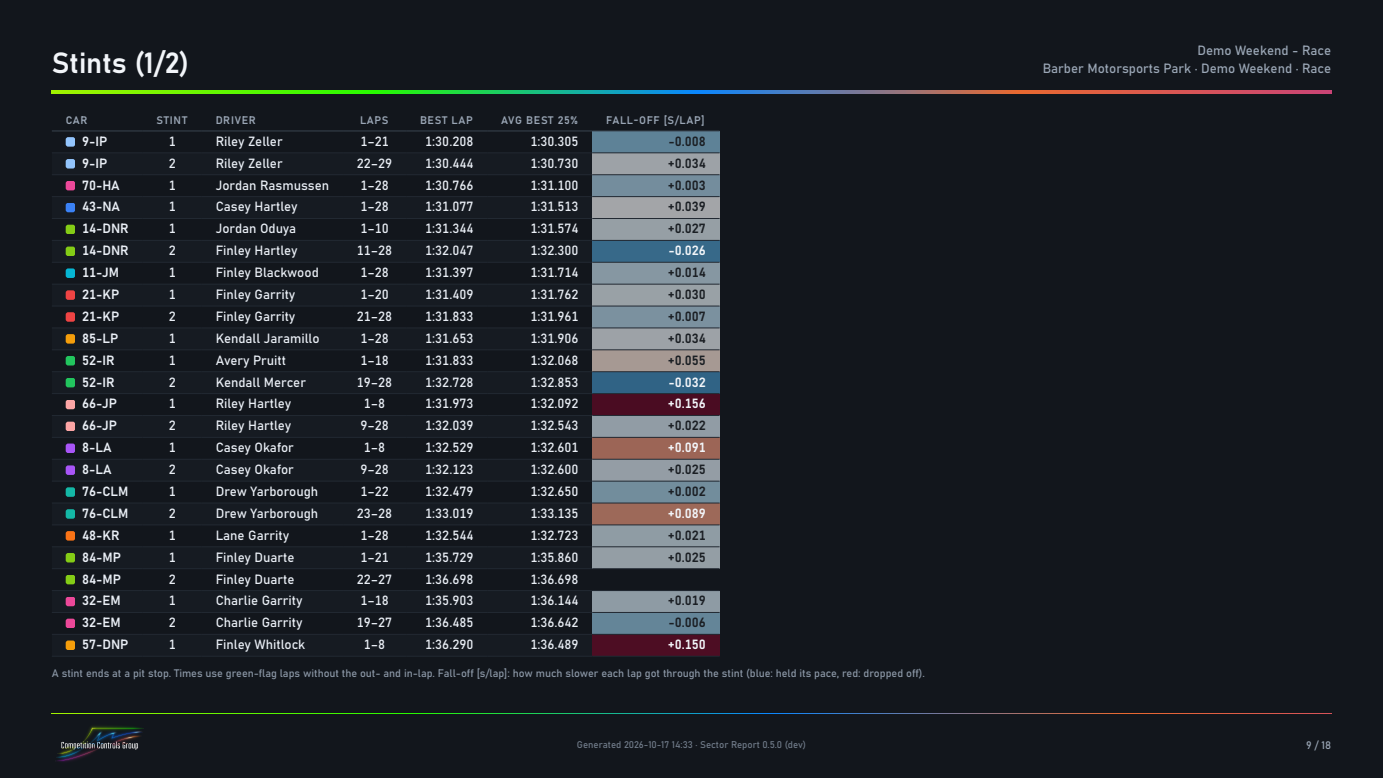
- Stints: pace between pit stops and the tire fall-off per lap.
Charts
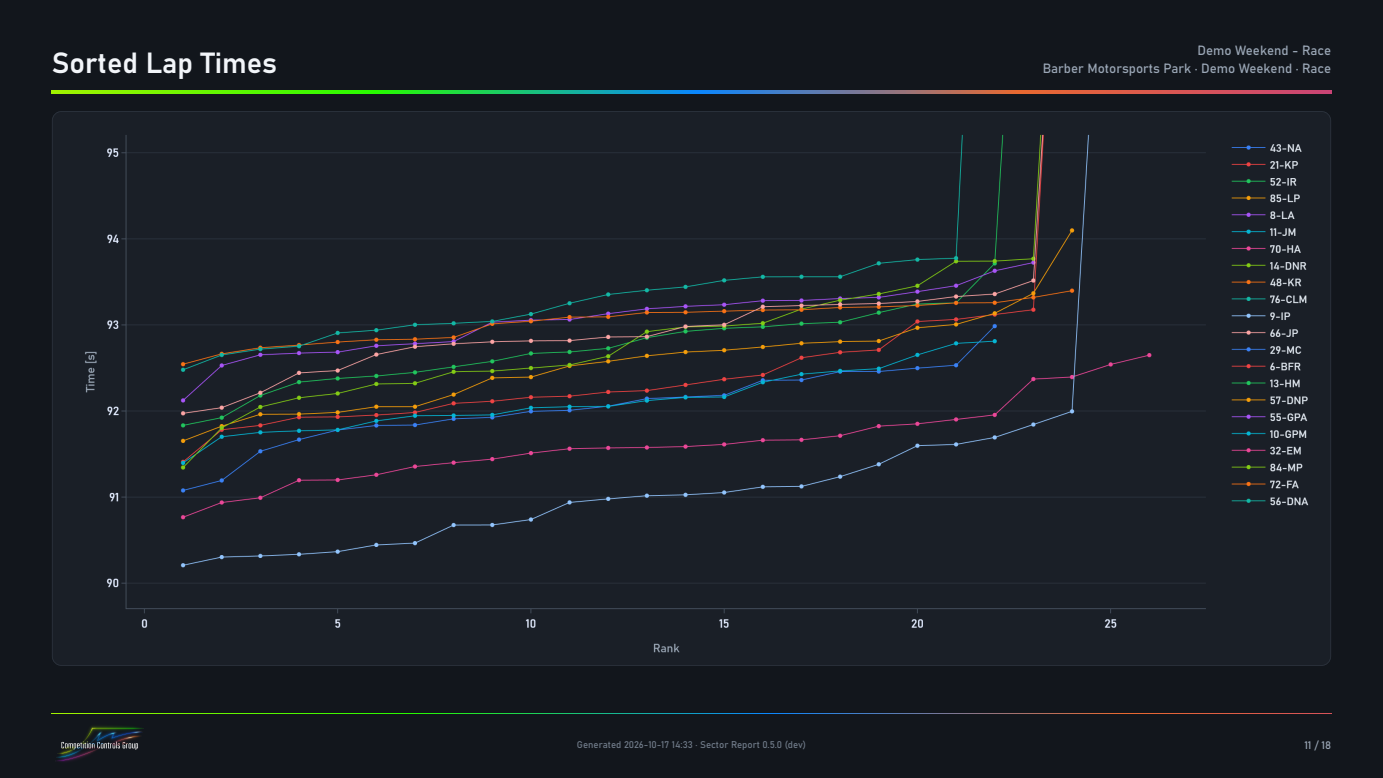
- Sorted lap times and sorted sectors 1-3
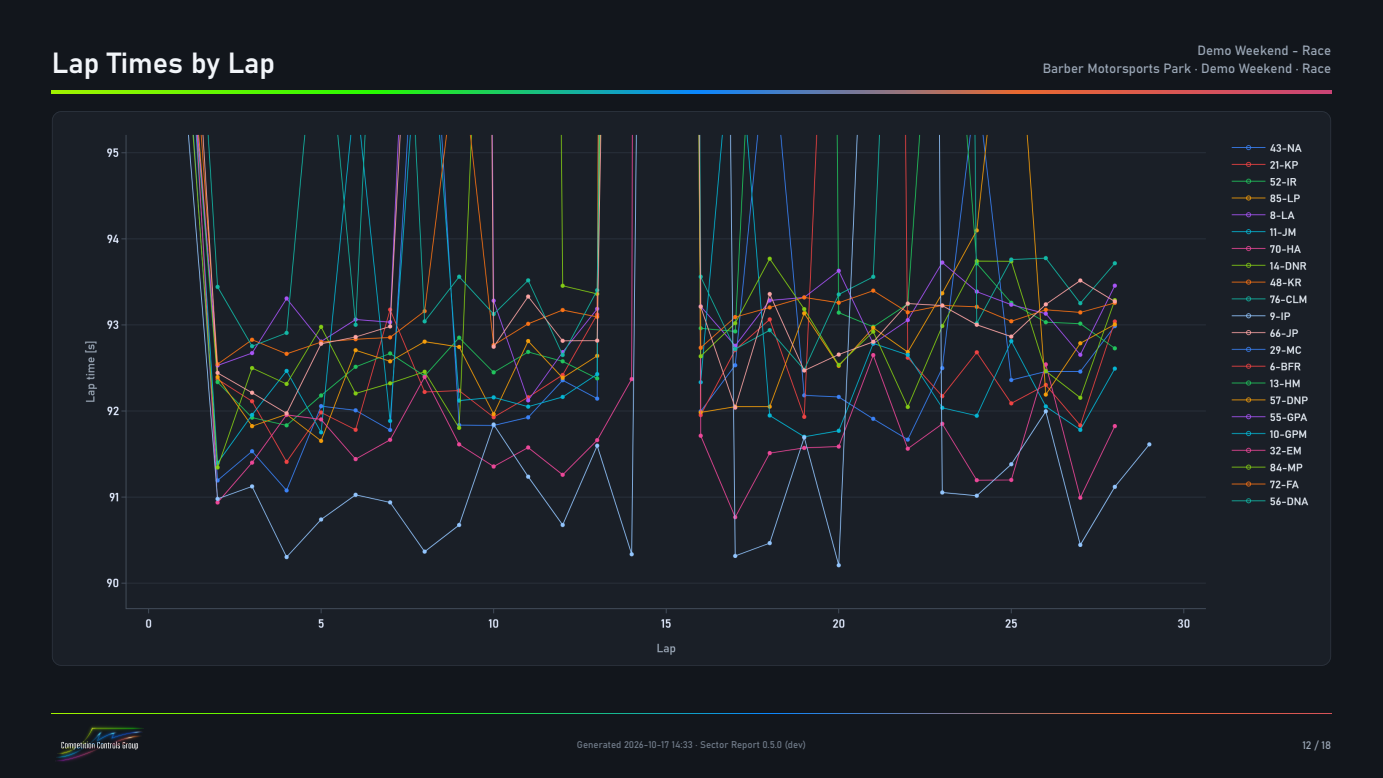
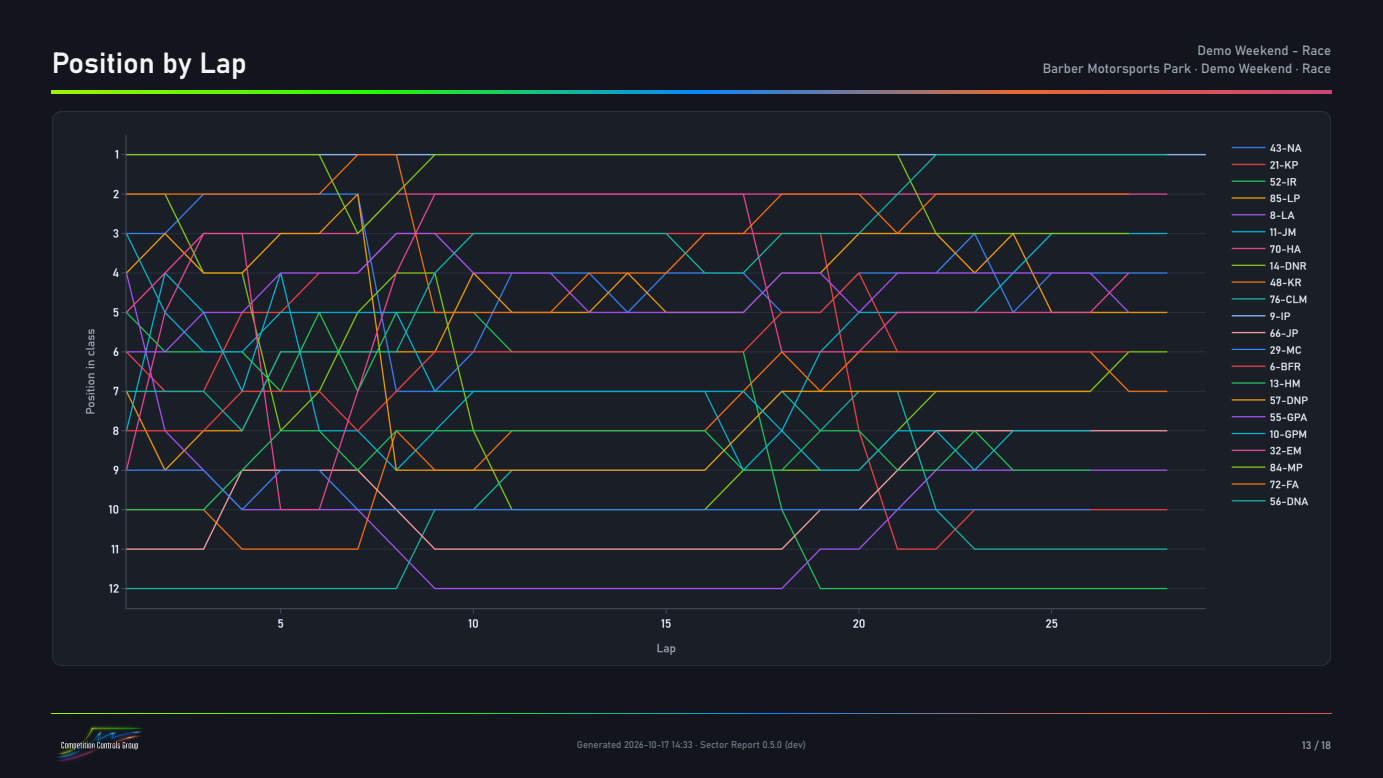
- Lap times by lap, position by lap
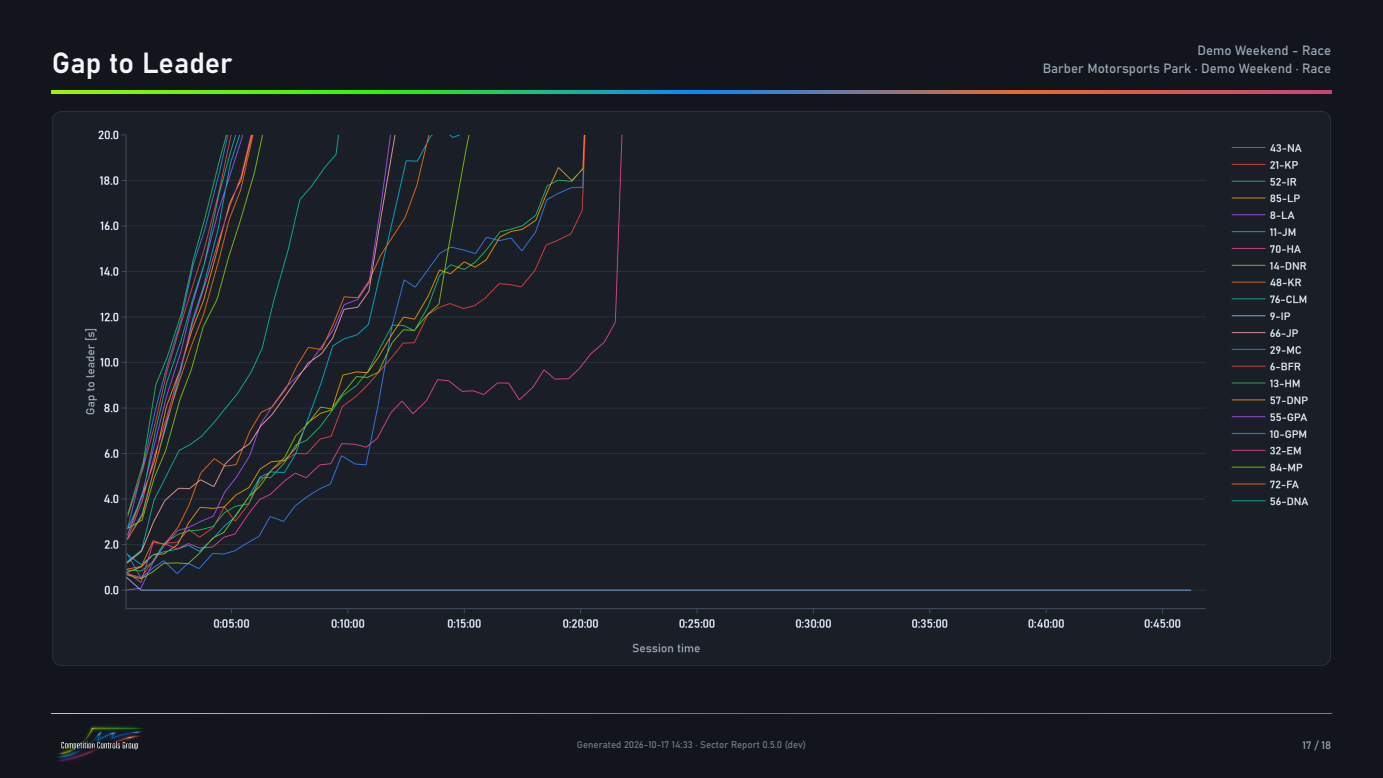
- Gap to leader at every sector line
- Top speed per car
How it works
- Open the time cards from the series’ Al Kamel results site: the Time Cards JSON, or the Analysis CSV.
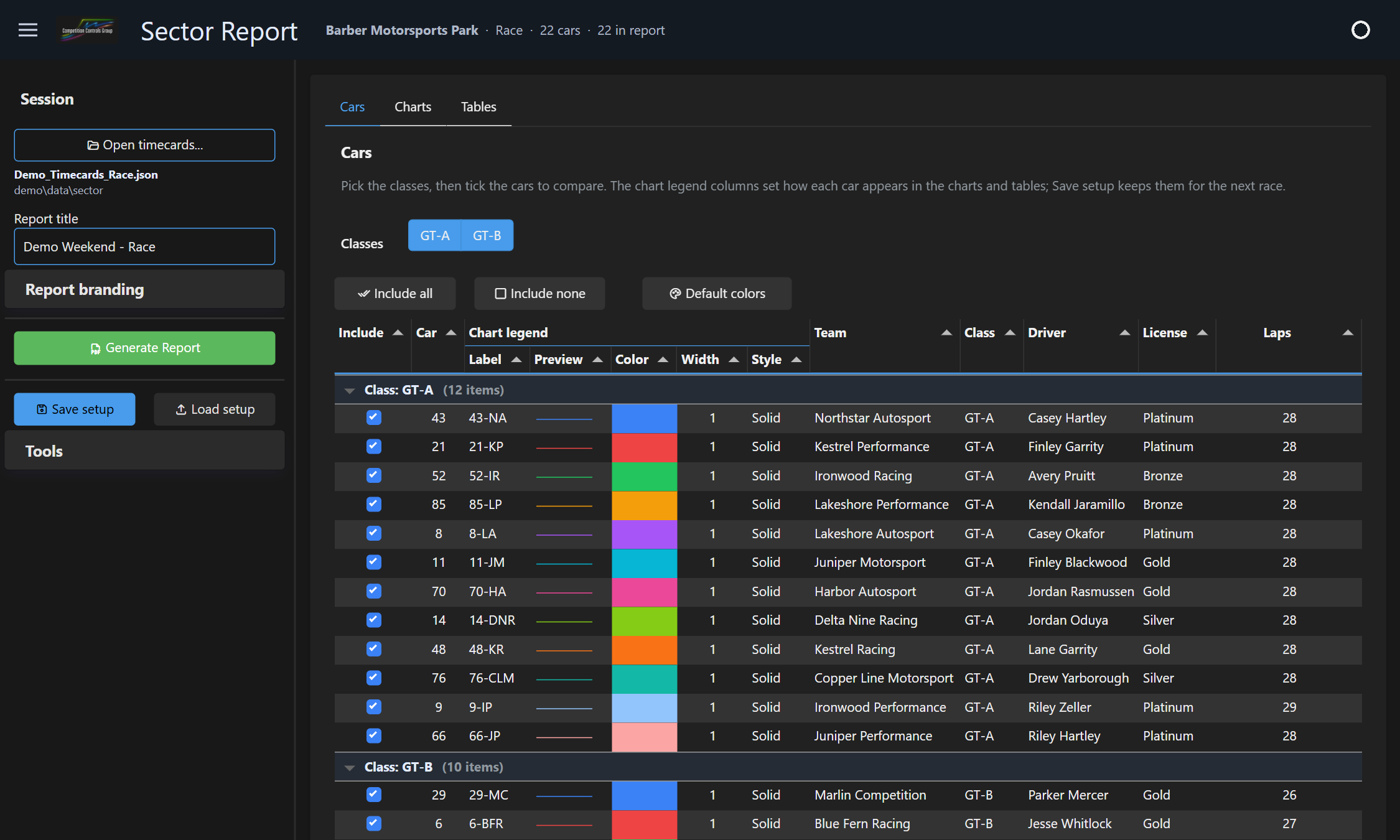
- Pick classes and cars and set labels, colors, line widths and styles. Charts and tables update as you change them.
- Generate the PDF. Save the setup (classes, cars, colors, chart ranges, branding) and reuse it all season; cars are matched by number.
Try it on real data. Start the free trial and open your own time cards, or the demo time cards (a made-up 45-minute race). The getting-started guide takes about ten minutes.
Your team’s report style
Every license can add a cover photo and team logo in the app. For a report that looks like yours from cover to last page, we design a style for your team:
- Your colors, typeface, logos and sponsor placement on every page.
- Extra pages: track map with sector markers, a notes page, an event summary.
- Tables and charts arranged the way your engineers read them.
You get one file. In the app, Report branding > Install style… and pick it; it’s used for the next report and keeps working through app updates.
Priced per team. Email support@competitioncontrols.com.
Pricing
Sector Report
- Perpetual license: one user, up to 3 PCs
- 1 year of maintenance: all updates and support
- 30-day refund, no questions asked
Free trial
- All features, including PDF reports
- No payment details needed
- One trial per PC
Maintenance renewal
- Optional. Your version keeps working without it.
- Renew any time after it runs out to get the newer versions.
- Offered in the customer portal
| After the first year | The version you have keeps working permanently, as does any version released during your maintenance. |
|---|---|
| Offline use | Activate once online; after that it works offline. It checks the license by itself when it starts online, and needs to be online at least once every 30 days. |
| Requirements | Windows 10 or 11, 64-bit; no administrator rights needed. Time Cards (JSON) or Analysis (CSV) files from Al Kamel timing. Charts are built for three-sector timing; the tables handle any number of sectors. |
Questions
Where do I get the time cards?
From the series’ Al Kamel results site; Al Kamel live results lists them all (IMSA, WEC, ELMS, Ferrari Challenge, …). Use the session’s “Time Cards” JSON (it has the most detail): right-click it and choose Save link as…. Series that don’t publish the JSON have an “Analysis” CSV, which works too.
Can I move the license to another PC?
Yes. Remove the old PC in the customer portal (link in the app’s License panel and in your purchase email), then activate on the new one.
What happens when maintenance runs out?
Nothing stops working. You keep using your version, and you can install any version released before your maintenance ended. Renew to get versions released later.
Can the report carry our branding?
Yes. Add your cover photo and team logo in the app (saved with each series’ setup). For a fully branded report, we design a style for your team; the template is also documented in the manual if you’d rather edit it yourself.
Refunds?
Yes, within 30 days of purchase, no questions asked. This includes maintenance renewals. See the refund policy.